Multi-frequency modified QRPKits.com Easy Transmitter

This weekend I returned to a shelved project from several months ago, a complete 40 M QRP station built around the Easy Transmitter & Easy Receiver kit line from Pacific Antenna (QRPKits.com).

Why the Basic Pacific Antenna Kits?

I first became aware of these excellent basic kits a few years ago when we chose the Easy Receiver kit as a group build project for a Wednesday Workshop at the Yale Center for Engineering Innovation and Design that we, W1YU, the Amateur Radio Club at Yale University were hosting.

The CEID is a nicely equipped maker space at Yale and their Wednesday Workshop series allows students, faculty and staff to learn something new by making. Popular Wednesday Workshops have included chocolate making, woodworking, 3D printing and W1YU would program a workshop to introduce the uninitiated into radio fundamentals.

We chose the QRPKits.com 40-meter direct conversion receiver for one of our workshops because the kit was simple to build and able to be completed in less than two hours, was inexpensive, and had a reputation of working the first time. That night 20 CEID members, most of whom never soldered before, paired off into 10 teams and after a presentation on RF and a brief soldering tutorial, they got down to work. I’m very pleased to say that out of 10 kits attempted, all 10 worked, with only a couple needing nothing more than a touch up of a cold solder joint or two.

My Current Project

My initial plan was to build the Easy Receiver and Transmitter and mount them into a single enclosure (a cigar box) to make an all-in-one station. In addition to the receiver and transmitter, I had also planned to incorporate the Easy Audio Bandpass Filter, the Easy TR switch, and the Easy Low Pass Filter to limit out-of-band harmonics on transmit.

I had assembled all of the basic kits several months ago and as I often do, became sidetracked and never finished the project. I came across my circuit boards recently in my basement workshop and decided to pick up from where I left off.

I had previously completed the receiver, audio filter, TR switch and the low pass filter. The transmitter was still in its original packing, so this became my first project for the new year.

My completed 40M transmitter with rotary crystal selector and fine tune control.
The completed project delivers 2.0 watts on all five frequencies.

A Couple of Modifications

I mentioned I came across the unfinished project in my basement recently. Over the past several months I have been working on organizing my workspace including inventorying and sorting the myriads of components I’ve managed to stockpile over the years. One of the things discovered in doing so was a variety packet of 40 and 80-meter HC-18U crystals for the QRP experimenter.

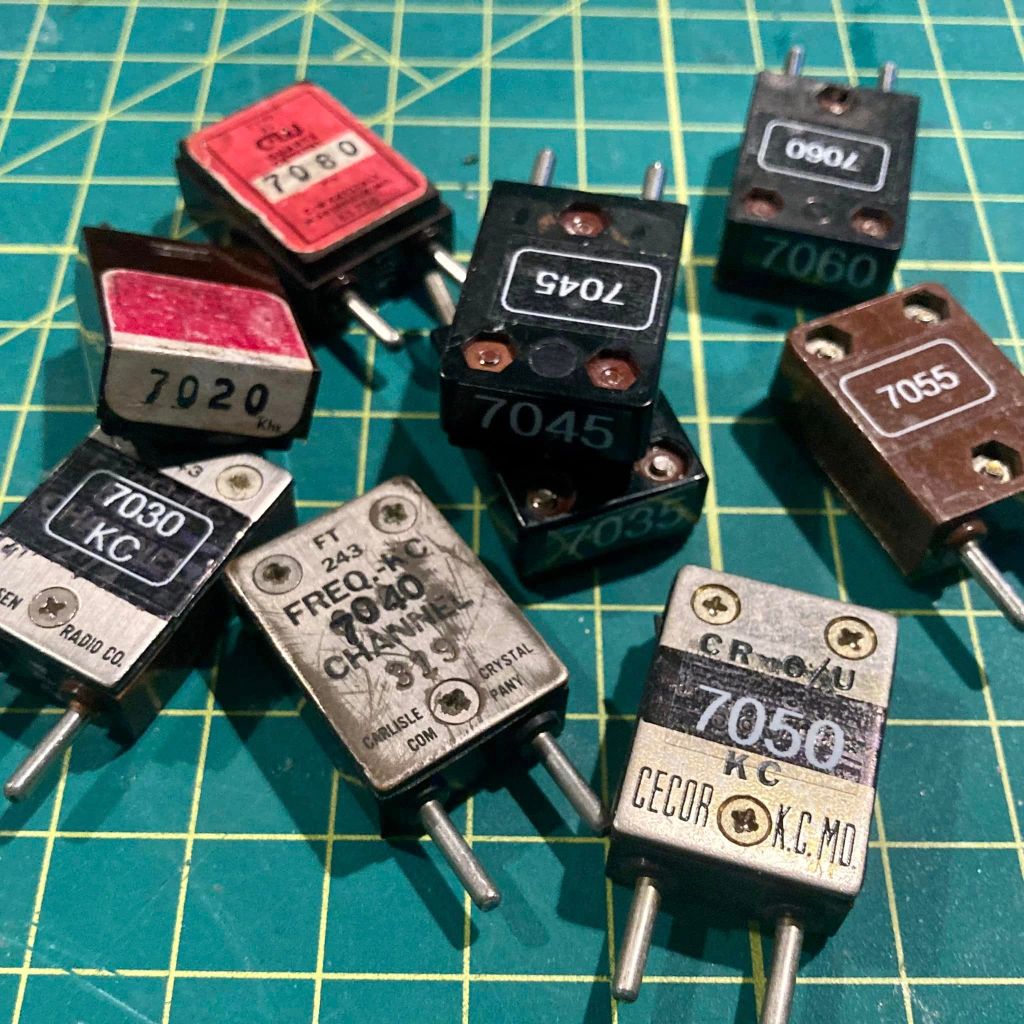
I decided I wanted to modify my transmitter build so instead of just being limited to the 7.040 crystal that came with the kit, I could easily select a different frequency by swapping crystals. The kit itself makes a provision as it includes a socket so the builder/operator could plug in a different crystal if they wanted to change frequencies.

My modification takes the concept a step further. Creating a small bus board on which I mounted several crystals and connecting one end to a rotary switch, I was able to make changing frequency as easy as twisting a dial. My transmitter allows the operator to quickly choose between 7.030, 7.040, 7.055, 7.110 or 7.118 MHz.

I made two other minor modifications. I incorporated the low-pass filter on board in the transmitter cabinet instead of as a stand-alone accessory, and I also added a yellow LED coupled with a 1K resistor to provide a power on pilot light on the front panel.

The green PCB is my multi-crystal mod. One side of the crystals are tied together and connected to the crystal socket on the main board while a ribbon cable connects the other sides to the rotary switch below.

I used a small Nub cigar box for my cabinet. I sanded off some printing on the bottom surface and applied a nice cherry stain to the box. Orienting the box so I used the thin bottom as the front of the radio, I had no problem with short potentiometer shafts. The sides of the box were quite a bit thicker, however, and I needed to countersink the holes drilled for the SO239 antenna connector and the coaxial DC power socket.

Another nice feature of the Nub box is that it has a slide off lid, which now becomes the back panel of the radio. It makes for easy opening for repairs or adjustments – or for show and tell at the local club.

How does it work?

The Easy Transmitter Kit promises 2 to 2.5 watts output on the 40-meter band, and I am very pleased to report that indeed, I measured a solid 2.0 watts on all five frequencies. The circuit includes a 5K potentiometer for fine tuning which allows a band spread of a few kHz. For the four lowest frequencies, I spotted my signal right on frequency with the fine tune knob set dead center. 7.118 was a bit off center, unlike the others, but still solidly within range of the fine tune control.

Needless to say, I was very impressed with the initial performance of the transmitter the first time I powered it up.

What’s Next?

I mentioned that I have already purchased and assembled the other kits in the QRPKits.com “Easy” line. I plan on mounting the 40 meter Easy Receiver and the Easy Bandpass Filter in two separate but matching Nub cigar boxes. I plan to mount a speaker in bandpass filter cabinet and include a headphone jack, and to not include any speaker on the receiver. I plan to either use the receiver with earphones (my preferred means for operating CW) or will use a 3.5mm jumper to feed the bandpass filter/speaker unit.

I am contemplating building a small linear amplifier to give myself a boost as needed. QRPKits.com and QRP-Labs.com each offer a simple RF amplifier at a low price that promise to boost 2 watts into the 7-10 watts out range.

I highly recommend the QRPKits.com Easy series of kits for the aspiring kit builder or the old timer, like me. As priced, they remain a great value, and the kits are easy to assemble and best of all – have always worked as advertised.

I plan to blog about the matching receiver and audio amp/bandpass filter as I manage to complete those projects. Have you built any of the QRPKits.com kits? What was your experience? Drop me a line and let me know how you fared at james@ab1dq.com.

Thanks for stopping by my blog & 73!
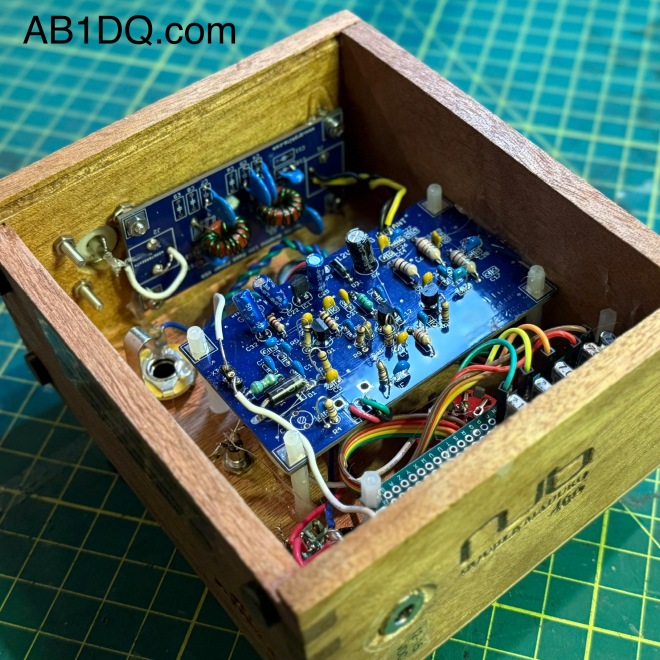
A peak inside – the auxiliary low pass filter was mounted to the side just above the S0239 connector, using a mounting screw from the S0239 and a modest amount of hot glue to hold the board in place.

©2025 JMSurprenant & ab1dq.com.
A Shortened EFHW for 80 – 10 Meters

MY FALL 2024 ANTENNA PROJECT

One of the best things about autumn is that after the pretty leaf-peeping season ends early in the month, there are several weeks of pleasant enough weather and the lack of leaves makes launching wires into tree branches so much easier. Thus, for many hams like myself, installing new antennas and repairing damaged existing ones is as much a fall tradition as football and pumpkin spice.

Last Spring I attempted to install an End Fed Half Wave Antenna cut for 40 – 10 meters running from the window of my 2nd floor shack across the yard and terminating in the upper branches of a dead tree on the edge of the backyard.

Building the simple antenna was a piece of cake. I built the HFKits 49:1 EFHW transformer kit (also available from the ARRL) and cut a 66 foot piece of wire (roughly half the wavelength of the 40-meter band.

However, I failed spectacularly in attempting to get a line up into tree. I had been using a pistol crossbow with an attached spinning reel but despite all of my best attempts I could not place the line where I wanted it.

Losing my race against time as the spring foliage began coming in, I opted instead to orient the antenna with a downward slope to a terminal point about 15′ up to the base of a tree bordering the woods.

The antenna worked – I mean we all know EVERYTHING resonates – but it was a disappointment. The antenna also lacked a choke and was very noisy. I was also remiss that I couldn’t operate on 80 meters.

So, the summer of 2024 passed. It was a good summer in many ways, but I didn’t operate much from the home QTH. I enjoyed several POTA activations and set my sights on the fall antenna season to improve my EFHW.

When September rolled around I spent several weeks watching dozens of YouTube videos and reading articles on constructing a shortened end-fed half-wave antenna that would resonate on a portion of the 80M band and resolved to properly erect the improved antenna.

NOV. 2: CHOOSING A DESIGN & WINDING THE INDUCTOR

In researching EFHW physics and construction, I found VK4YE’s YouTube presentation on his 5-band EFHW which resonates over a narrow swatch (@ 100 kHz) of the 80mb by including a loading coil trap.  I found similar plans on several other websites but most called for a 110 uH trap.  VK4YE’s design called for a 70uH inductor. Appreciating his comprehensive and thorough description of the design, I decided to work directly from his plans and began gathering my materials.

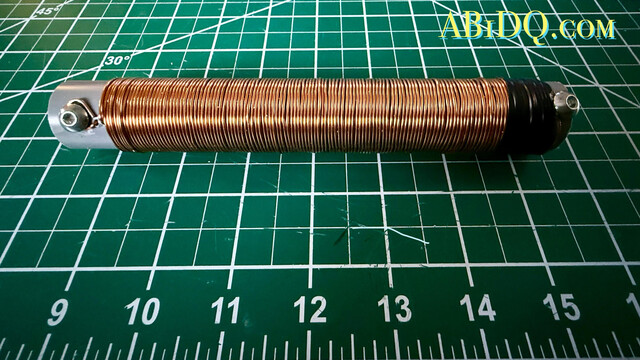
The directions call for 120 turns of 1mm magnet wire on a 25mm coil form.  I am that strange fellow who actually enjoys winding coils, don’t ask me why.  I’m pleased with my work – I measured the coil and found it to be right around 70 uH.  My only failure was that I cut the PVC ever so short before making the windings (see photo).  However, I believe it will work fine, and the coil will be shrink-wrapped before being hoisted up.

NOV. 4: TESTING THE TRANSFORMER & CUTTING WIRE

Today I completed construction of the antenna itself. Winding the coil was the most involved step and all that remained was to cut the wire lengths to spec and attach it to the inductor using a pair of dogbone insulators for strain relief.

I also tested my 49:1 transformer tonight to confirm that it is functional and that the impedance is correct.

I placed a 2.5K resistor load across the output and ground and used my RigExpert antenna analyzer to read SWR which was consistent at about 1.5 or less across all bands from 80 to 10M.

NOV. 9: TUNING THE ANTENNA

Taking advantage of another great weather Saturday, I strung up the end-fed antenna in the backyard to tune it up today.

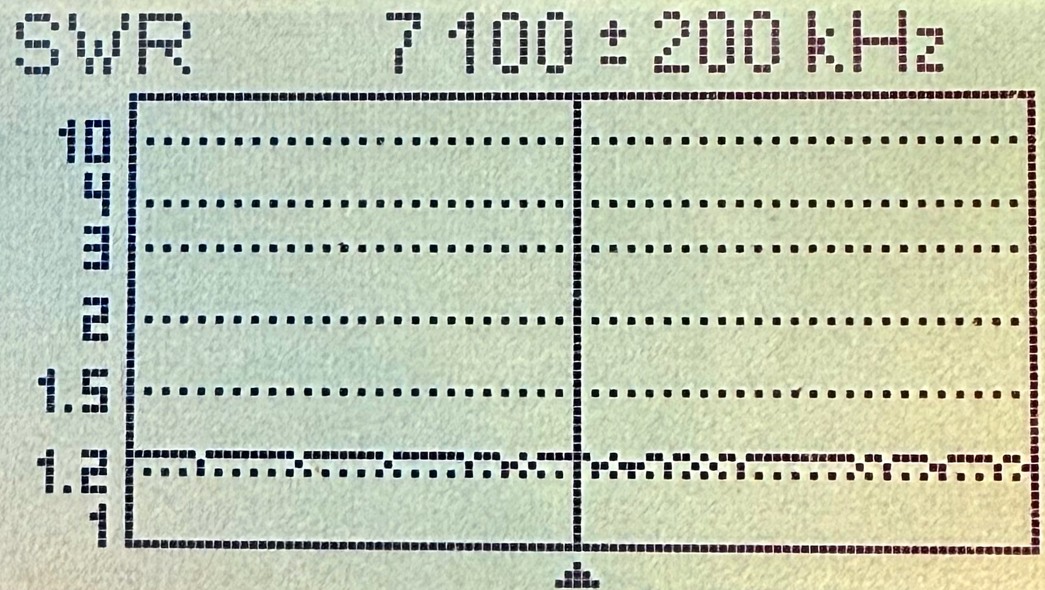
I was very pleased to see SWR readings of 1.5:1 or less on all bands except 80M, which was to be expected. All the documentation I researched about the 80-10m EFHW design stated that while the loading coil allows for resonance on 80 meters, only a narrow portion of the band will tune with a low SWR and it is essential to choose which portion of the band you want to resonate.

As I prefer operating CW on HF, I aimed for the lower portion of 80 and I found shortening the “C” segment of the antenna by 12″ brought the SWR down to less than 2:1 on the CW portion of the 80-meter band. See my SWR readings before and after trimming the antenna in the table below. The segment lengths are in inches.

NOV. 10: CONSTRUCTING A COMMON MODE CHOKE

On November 10, I built the final component of my new EFHW antenna, a Common Mode Choke, or CMC. It is highly recommended that a choke be used with an end-fed antenna to prevent the shield of the coax feedline from becoming part of the antenna system and radiating RF unintentionally.

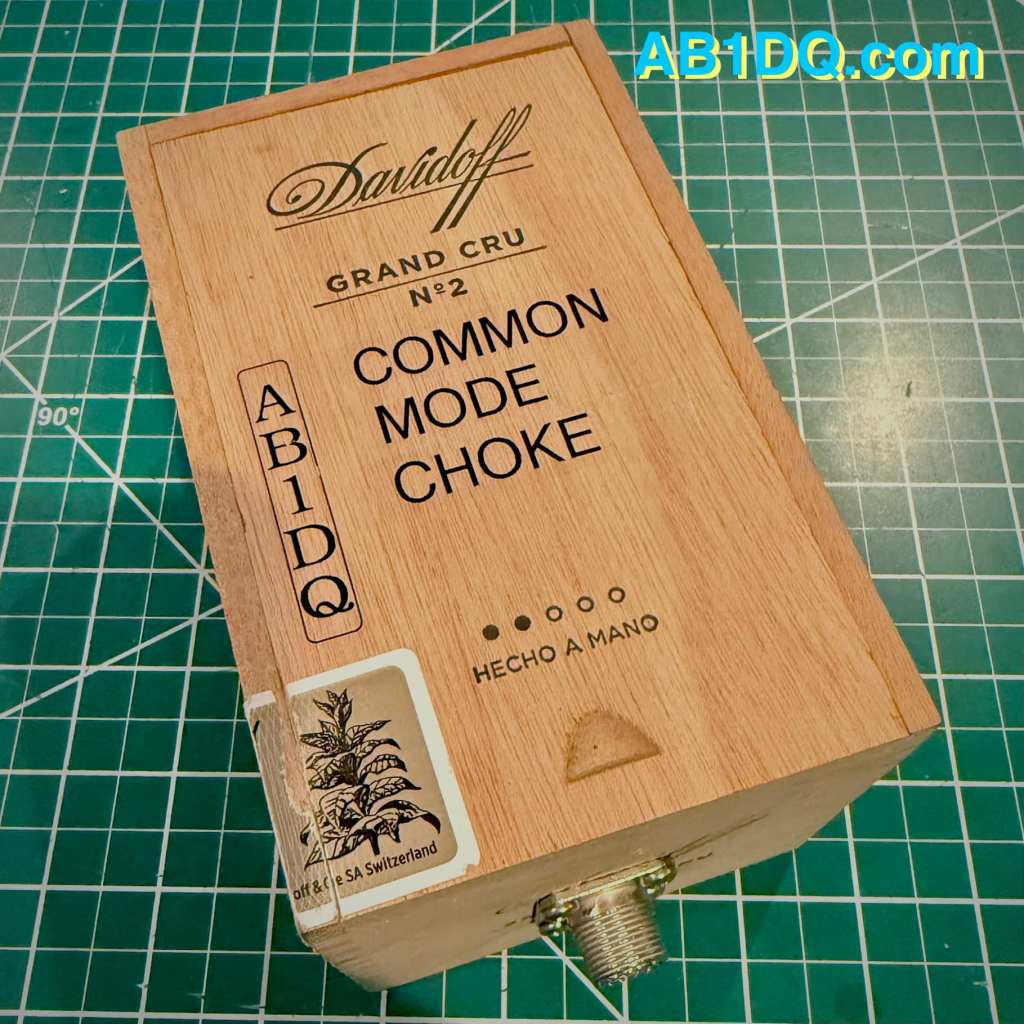
I built my choke by winding four turns of RG-8x coax through 10 ferrite toroids and mounting the works inside a small Davidoff cigar box with an SO239 connector on each end. The choke will be placed where the antenna feedline enters the house.


I found this video on common mode chokes by SmokinApe on YouTube extremely informative and I highly recommend it if you’re interested in learning more.

NOV. 16: OF SPUD GUNS & FELLOWSHIP

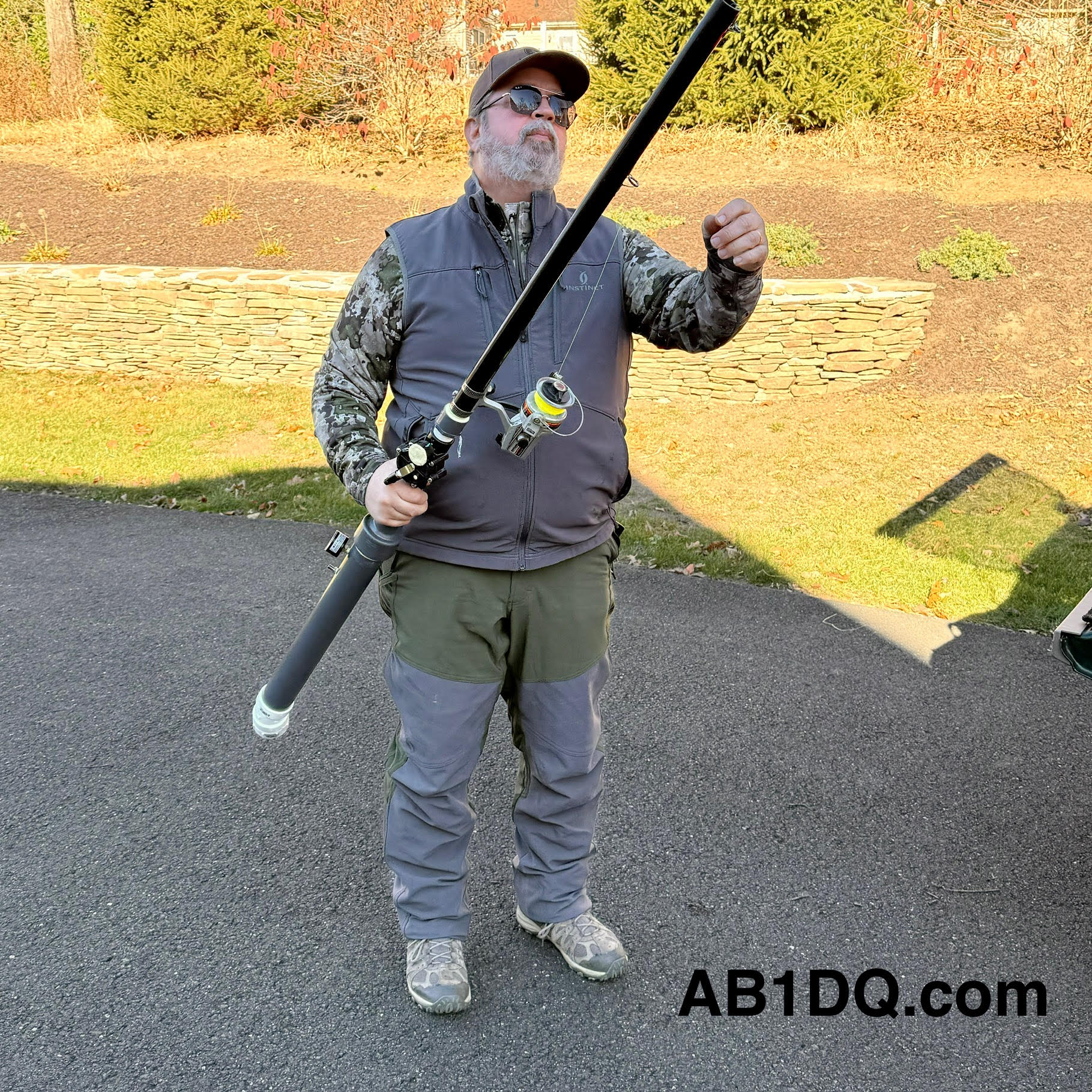
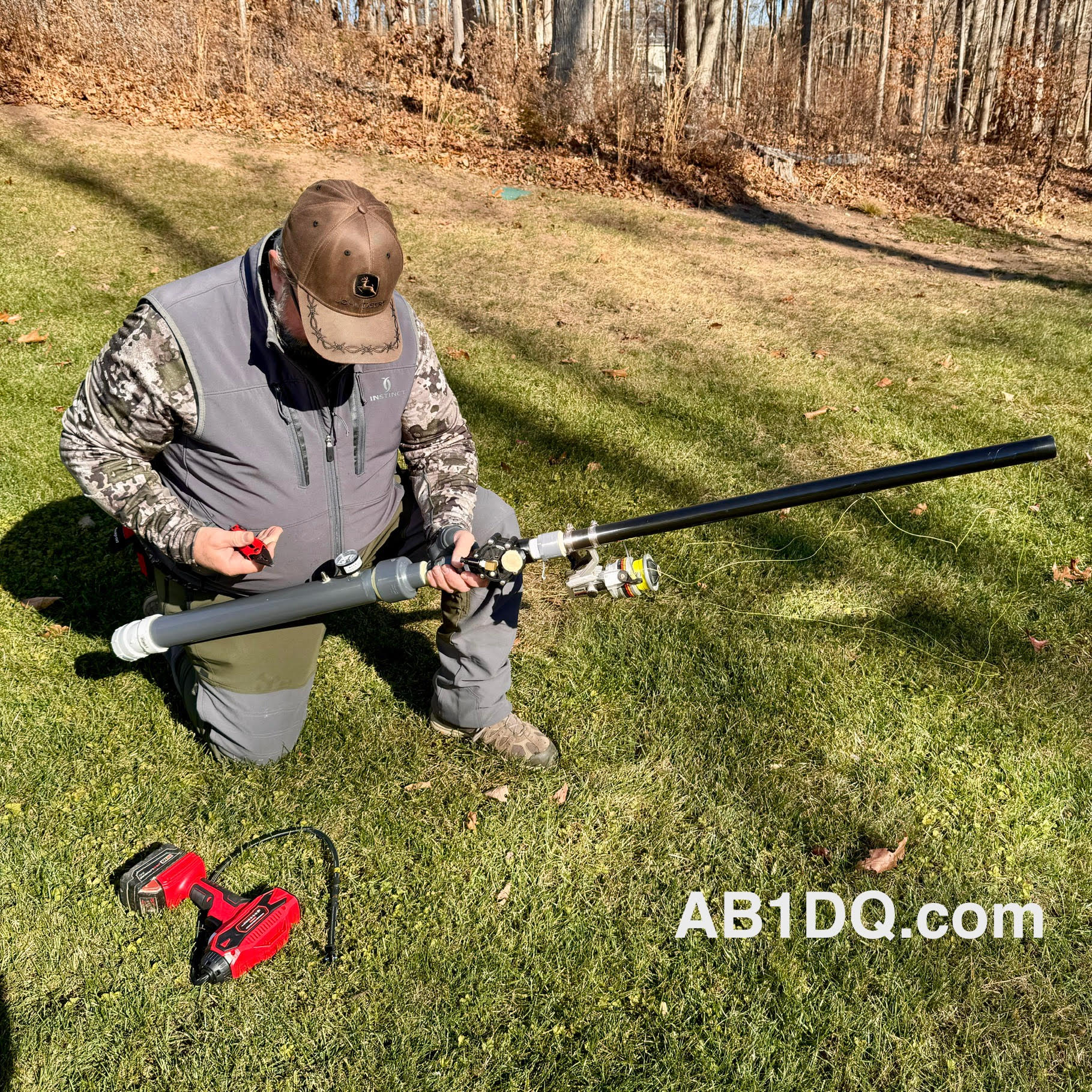
This past Saturday, November 16 brought more mild weather, and as our usual Saturday morning club open house was canceled that day due to a scheduling conflict at the OEM, it made it possible for me to get with Rob, K1RCT, our club’s station manage and an all-around good guy, who brought his mighty spud gun to my QTH to help me complete the installation of the antenna.

I always enjoy Rob’s company and his willingness to share his radio expertise. Years ago, our former club president, Bill W1KKF/SK made a couple of trips out here to Cheshire with his bow and arrow to help me string wires in the trees. I was always grateful to Bill for his help and his presence is missed by all who knew him. But now, Rob has brought antenna launching to a whole new level with his spud gun.

Prior to Rob’s arrival, I had tied off the feed point end of the antenna. A short run of coax extends from my transceiver to the Common Mode Choke placed on the windowsill of my 2nd floor shack.

A 3′ coax jumper connects the CMC to the 49:1 un-un on the other side of the window. I used a pool noodle as a pass-through. I drilled a small diameter hole matching the size of the jumper, and then using a razor blade, made a slit extending from each hole to allow me to feed the cable with the PL-259 through. The pool noodle makes for an inexpensive, easy and insulated feedline pass through.

The antenna then begins from the top lug on the un-un, extending a few feet to a dogbone inserted for strain relief. A short length of rope is tied off to the eyelet on the top of the un-un and is passed through a galvanized steel eye hook attached adjacent to the top of the window pane.

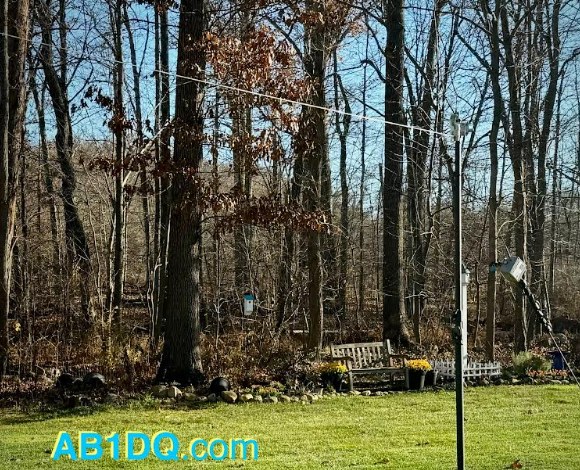
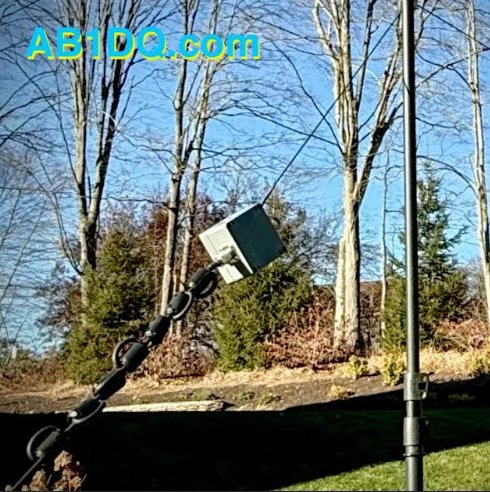
Here are a few final photos of the end of the antenna raising.

NOV. 17: ON THE AIR

My timing to complete the antenna project couldn’t have been better as this past weekend was the ARRL November Phone Sweeps – my favorite contest (as a non-contester). In years past, my goal for both the CW & Phone Sweeps was to beat my score from the prior year.

I am happy to report that I made 60 contest contacts, operating at my leisurely pace for a couple of hours. I searched and pounced and was able to work nearly every station I called on 40, 20, and 15 meters. The map seems to suggest the antenna performs as intended…

Did you have a fall antenna project? Have you used an end-fed half-wave antenna and what is your impression of the design? Leave a comment or drop me an email at james@ab1dq.com and let me know what you think.

Published November 19, 2024
©2024 JMSurprenant

Bayou Jumper in a Cigar Box

I was thrilled to see that the good folks at the Four State QRP Group released the 4th revision of their popular Bayou Jumper 40M CW Transceiver designed by Jim Giammanco N51B and David Cripe NM0S last year.

The Bayou Jumper, first released in 2017, is a 40M QRP transceiver that is an homage to the classic Paraset, the legendary transmitter/receiver supplied to the resistance groups in France, Belgium and the Netherlands during World War II.

Whaddon Mk VII – Paraset Clandestine Transceiver c. 1942

The Bayou Jumper, an updated solid state CW only radio kit is intended to be fitted into a hinged wooden suitcase style box available from Hobby Lobby or any other similarly sized box.

Given my recent obsession with building QRP radios and accessories into empty cigar boxes, I felt the Bayou Jumper would make an excellent candidate for cigar box treatment. I found a gorgeous Perdomo 20th Anniversary cigar box in my stash that was approximately the right size, featured gorgeous red and gold artwork on a black background and was constructed of heavier wood than many of the other cigar boxes in my collection.

The Bayou Jumper front panel was a perfect flush fit left to right in the Perdomo box, and only fell 1/2″ short front to back. I modified the box by gluing a 1/2″ square dowel along the top hinged edge to fill the empty space.

Other mods I made to the cigar box included:

  • Adding weights to the bottom of the box to prevent the radio from tipping over backward when the lid was up and to provide a little more heft,
    • Adding a pair of latches to be able to secure the lid closed, and,
      • Reinforcing the original pressed in hinges with three supplemental screw-in hinges.

Building the Kit

I chose the Bayou Jumper to be my 2022 Christmas project. Professionally I have worked in an administrative role in higher ed for the past two decades and one of the biggest perks of working at most leading universities is they completely shut down for an extended winter recess. Building an electronic kit during my winter recess takes me back to my teenage years when I’d spend my holiday break from school constructing the electronic kits I received as Christmas gifts.

Like every NM05 designed 4SQRP kit I have previously built (the Murania One Transistors Boy’s Radio, the 4S-QRP Antenna Tuner, and the Ozark Patrol Regen Shortwave Receiver), assembly was a relaxing no-stress experience. Once again, I was very pleased with the high quality of the double sided etched-through printed circuit board, the quality of the electronic components and hardware, and the in-depth and easy-to-understand instructions and documentation.

I encountered only two minor issues in building the Bayou Jumper Revision D that were hardly a problem, barely an inconvenience.

The first was a missing resistor, R15, a 1/4 watt 100K ohm resistor. I have never experienced a missing part when building a 4SQRP kit and it’s probably just as likely I dropped or lost the resistor than it was wasn’t shipped in the kit. Regardless, I had the correct value resistor on hand in my home stock supply.

The second matter involved the jumper wires provided to supply current to the multi-color LED on the front panel from the main PCB. The instructions stated the kit included a 12″ jumper wire with header pins included in the kit that needed to be cut in half to make two jumpers. However, the jumper wire included in my kit was only 5.5″ long and once cut it in half as the instructions directed, one of the resulting leads was too short to mate to the header pin on the PCB.

As with the missing resistor, I had plenty of jumper wires that I use for breadboard prototyping on hand and was able to create the necessary jumper wires with sufficient slack to reach the contact points.

All in all, the kit went together in just 3 days’ time as I prefer to work slowly and methodically whenever I build a kit. (Whenever I rush through a project I typically find that any time I saved working quickly would be lost in extensive time consuming trouble-shooting that would be needed!)

The topside of my populated PCB. Assembling the kit was straightforward and fun.

Winding the Transformer

The Bayou Jumper features three inductors etched into the PCB but still requires the winding of a single transformer on a T 6-7 toroid core. I have never found winding coils to be difficult or stressful, and in fact, I generally enjoy it especially when the kitter provides excellent directions and illustrations, which 4SQRP did.

The transformer required 3 windings, one of 19 turns, one of 4, and the last of 2. The completed transformer can be soldered to either the top or bottom side of the PCB, based on the builder’s preference and tje screen printing on the circuit board makes installing the completed transformer essentially foolproof. I chose to mount the transformer to the bottom side of the board to make it easily accessible for adjusting the spacing of the winding to adjust the receiver’s tuning range.

The completed transformer mounted to the bottom side of the PCB.

Faux Crystals?

The Bayou Jumper’s crystal socket accepts the classic FT-243 crystal form, a popular Cold War era crystal size that today is no longer manufactured and increasingly rare.

The Bayou Jumper comes supplied with a pair of HC-49 crystals for 7.030 and 7.122 MHz, and two crystal adapter boards to fit the HC-49 crystals into the FT-243 sockets.

Vintage FT-243 cases are large enough to accommodate modern small HC-49 crystals and with its 3 screws, the FT-243 can be easily opened and re-sealed, making it possible to re-stuff FT-243 cases for modern QRP use.

Using several of the FT-243 crystals for non-amateur frequencies that I picked up at ham-fests, I have modified 9 crystals for use on the 40 meter CW sub band, all ready to go in my Bayou Jumper.

Receiver Alignment and Final Assembly

Again, the excellent directions made aligning the receiver a snap. Instructions are provided for a variety of alignment methods using an oscilloscope, a frequency generator or a calibrated receiver capable of CW reception. Having all three available to me, I tried all three methods and was pleased when all three were in sync.

I started taking a frequency reading with the tuning dial set to the low end of the scale with my O-scope and read 6.897 MHz.

Next I tried sweeping the dial of my frequency counter to spot the point where oscillation could be heard in the earphones. My frequency counter has an analogue scale and was able to read the resonant frequency at about 6.9 MHz.

Finally I set my portable C. Crane Skywave SSB travel radio for LSB and tuned to the 6.900 and tuning up and down was able to hear the receiver’s oscillator at about 6.895 MHz.

Following the directions to adjust the tuning range by spacing the L1 windings on the transformer closer together or further apart and then adjusting the C30 trimmer, I was able to achieve a final tuning range of 7.000 – 7.167 MHz which should be more than adequate for the CW sub-band I would use.

Finally, I followed the directions to verify regeneration and was happy to find that my receiver needed no further adjustment. Satisfied with my work, I mounted the radio in the cigar box and am looking forward to putting my Bayou Jumper on the air.


Stay tuned for Part II where I will report on my experience operating the Bayou Jumper on the air and any future adjustments or modifications.

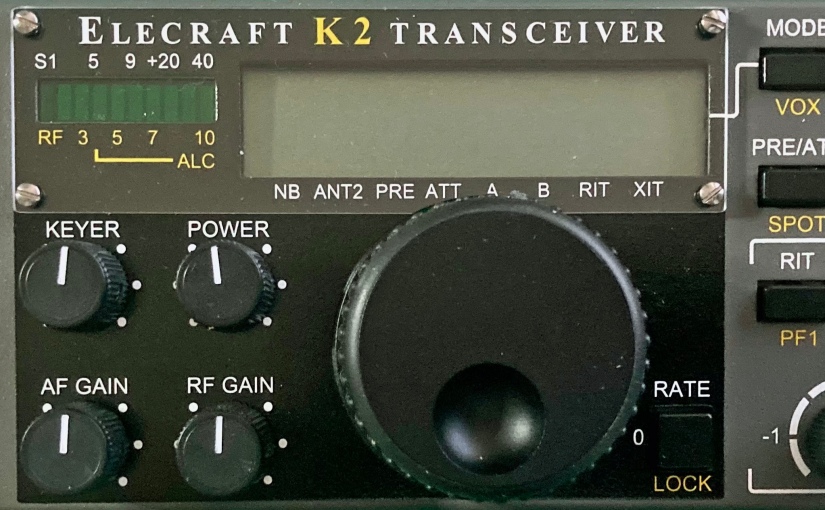
Elecraft K2 Build – Part 2

Front Panel Assembly

March 20, 2022

This morning I completed the Front Panel Board, the second board of the Elecraft K2 HF Transceiver Kit build that I began at the start of the year. After completing the Control Board on January 17, I took a complete month off working on other weekend projects before starting the Front Panel on February 21. I did state from the get go that I was going to take my time with this, my most ambitious kit build, and I’m staying true to my word.

The Front Panel Board is where all of the user controls are mounted. These include the large rotary encoder/tuning knob, the numeric keypad and pushbuttons, and five variable resistors. This section also includes the graphical LED status bar display and the LCD main display.

Assembly of the front panel starts by soldering the sixteen tactile push button switches to the printed circuit board. For a proper and neat professional appearance, it’s essential that all of the switches be mounted at a precise uniform distance from the surface of the board.

Elecraft provides a nifty switch spacing tool in the kit which is essentially a thin narrow bit of PCB material that is placed under each switch which is then pushed flush to the spacing tool. This clever method worked exceptionally well for me.

After the switches are mounted, the board is populated with the usual components – resistors, capacitors, diodes and transistors. The front panel board has four ICs including the large 40 pin U1 which is mounted on the bottom side of the board and behind the display.

The front panel board also has a good bit of hardware to be attached including the eight-pin microphone jack and several spacers. Up to this point the instruction manual has been absolutely excellent in providing detailed easy to follow accurate directions.

However, I did encounter some difficulty when it came to mounting the main display components which consists of two backlight LEDs, their spacers, a white cardboard reflector, a frosted plastic diffuser, and the 40 pin LCD.

As I discussed in my previous post, the Elecraft K2 is a fabulous kit, but it’s a rather old kit, first prototyped a quarter century ago – in 1997! Understandably in the time since its introduction, some components become ‘unobtainium’ as the years go by. Vendors come and go and with advancing technology, manufacturers discontinue production of now archaic through-hole components with today’s increasing popularity of SMD architecture.

Thus, when one buys a K2 kit today, it will come with several pages of errata that must be carefully consulted and reviewed. Builders in 2022 will find themselves crossing out sections, sometimes whole pages, of the original manual, and adding notes about the replacement modern components packaged with their kit.

This was the case with the display assembly. I was instructed to cross out most of the directions pertaining to the installation of the display on pages 27 and 28 of the manual and to follow the alternative directions provided as errata.

The revised directions call for the builder to first insert the leads of a pair of rectangular LEDs through plastic spacers and solder the LEDs flush to the board to the left and the right side of where the LCD will be mounted.

Between the two LEDs, the builder places a white cardboard backlight reflector and then mounts a frosted plastic diffuser by placing it over the the two LEDs on the left and the right side. The diffuser has an indent on each side to accomondate the LEDs.

I found this all went precisely as described until I came to the step that instructed me to place the LCD flush on top of the diffuser and then solder the 20 pins of the LCD to the associated pads on the PCB.

None of the LCD pins were long enough to go through the holes in the pads on the board. If pressed flush to the diffuser the LCD pins just barely touched the pads.

With the LCD flush against the frosted crystal diffuser, the pins are too short to penetrate the holes in the pads.
A view of the bottom side of the board showing the inadequate length of the LCD pins.

I carefully checked the instructions and my work. I was certain I mounted the LEDs correctly and flush to the board with their spacers, and the cut outs on the bottom side of the plastic diffuser neatly accommodated the LEDs perfectly.

Realizing that proper positioning of the LCD would be critical for the PCB to properly fit in the front panel and knowing that not getting the spacing correct would also give the finished radio a sloppy appearance, I reached out to Elecraft for help via their website.

I dreaded the prospect of having to de-solder 20 pins and run the risk of damaging the LCD if I needed to remove it after it was soldered in place. I wanted to get as much information as I could before proceeding.

I received an email reply from Dave at Elecraft who is their K2 support guy within a couple of days. Dave stated that it was ‘perfectly normal’ for the LCD pins to just touch the top pads on the PCB and that they do not need to protrude through the holes. He said that his last K2 build was like this and suggested that I carefully solder the 20 pins from the topside, but to make sure the LCD is level and parallel to the board.

I did as Dave recommended, carefully aligning the LCD so it was level and evenly spaced above the board. I started by soldering each of the corner pins and confirming the LCDs position after each solder joint. Once done, I applied solder to the pads on the bottom of the board to let it flow through the hole to help ensure solid contact.

However, after I soldered just under half of the LCD pins, I realized I had left out the cardboard reflector. D’oh! There was no way I could slide the stiff cardboard under the pins at this point and I didn’t want to have to de-solder so many pins, so I came up with a workaround.

I took a piece of white copier paper and cut a rectangle to the same size as the cardboard reflector. Cutting the paper in half, I was able to slip both halves between the gap in the pins on the bottom of the LCD and position them in proper place. I held them in place with a bit of cellophane tape.

From here on out the rest of the front panel assembly went smoothly. Again I encountered the need to reference the errata for the main encoder knob as Elecraft includes a different unit than the one referenced in the original instruction manual. The encoder in my kit required me to solder a few parts into an auxiliary board to which the encoder was attached. The auxiliary board is then attached to the back of the front panel board.

The rotary encoder auxiliary board.

The last step was to mount the completed front panel board inside of the front panel. Before doing so, the manual lists about 30 resistance checks for the board. Each test point checked out as specified to ground – excellent!

I was very pleased that after I carefully mounted the board the front panel looked perfect. All of the push buttons were a proper and uniform height through the holes on the panel. All knobs, including the main encoder dial, were also correctly mounted and turned with ease. Best of all the main display LCD that caused me so much grief, looked perfect under the front bezel.

Completed Front Panel PCB, front.
Completed Front Panel PCB, back.
The completed front panel…. it ‘looks’ like a radio anyway.

Next up – the RF Board. Stay tuned….

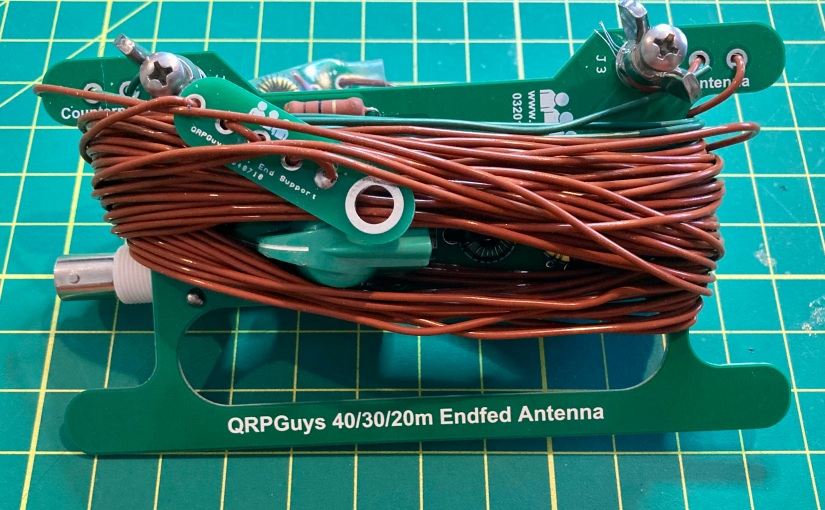
QRPGuys End-Fed Multiband Antenna

“Unique ham radio kits for the budget minded.” That’s what the masthead proclaims on the QRPGuys website and that is exactly what you’ll find there – a collection of project kits for the builder/QRPer that aren’t found on other kit sites and all offered at a more than fair price.

Current transceiver kits include their AFP-FSK Digital Transceiver, now in its third edition and they also offer a wide variety of other QRP essentials including several antennas and tuners, test gear including power meters, attenuators and filters and other accessories,

The QRP Guys are an affiliation of a “who’s who” of QRP building and will give you an idea of the innovative and high-quality products they develop. Ken LoCasale (WA4MNT) provides kit mechanical design, board layout and documentation, and NorCal cofounder Doug Hendricks (KI6DS) is credited with logistic support and beta testing.

Circuit design is by Steve Weber (KD1JV) of Pacific Antenna, Dan Tayloe, creator of the N7VE SWR Bridge, and Cliff Donley (K8TND). Both Steve and “Kazu” Terasaki (AG5NS) author firmware, technical assistance is given by beta builder Yin Shih (N9YS) and John Stevens (K5JS) is credited with assisting Ken with website maintenance.

Building the QRPGuys 40-30-20 M End Fed Antenna

The QRPGuys multiband end fed antenna meets my definition of an easy build with only 16 solder-in components on the main tuner circuit board and the two traps. I started as I do with all of my kit builds by inventorying and arranging all of the parts. I have been using cigar boxes with clasps on their lids to prevent me from losing small parts before they are needed. Cigar boxes are also ideal for storing works in progress kits when a project will extend beyond a single building session.

This easy to build kit has a minimal number of parts.

The prospective builder should be forewarned that of those sixteen components, four of them are inductors that must be hand-wound on toroid coil forms. Many builders seem to abhor the winding of coils, and while I find it sometimes fiddly work, I’ve come to not mid the process.

I give props to the writers of the QRPGuys manual, as they provided some of the clearest instruction on how to wind the inductors, including the number of loops and where to place the taps. The manual also includes a nicely done illustration of each inductor and hints on how to assure the builder wound them correctly.

The diagram from the instruction manual clearly depicts how to wind the four inductors.

The inclusion of Thermaleze® brand magnet wire for the inductors was also a nice feature – the enamel coating was quickly dispatched after a few seconds of exposure to my Zippo cigar torch.

The entire build, including the winding of the four toroids, building the traps and measuring the three driven element lengths of wire took me less than 2 hours working at a leisurely pace on a winter’s Sunday morning.

About the Antenna

Field testing this antenna will have to wait a few more weeks for more reasonable weather here in Connecticut, but my plan is to use this antenna for QRP POTA activations this year with various homebuilt radios such as the Ramsey QRP20 transmitter I assembled last week. The end-fed design should make for easy deployment as a sloper while operating from the field with easy access to the tuning controls from my operating position.

The tuner circuit design is as straightforward as it gets – your basic tunable L-C circuit with a varicon capacitor. But the kit also employs the N7VE LED absorption bridge that keeps SWR to a minimum of 2:1 when set to the tune position. According to the kit documentation, the LED indicates only reflected power. Full LED brilliance will indicate an SWR at 4:1 or greater. At half brilliance SWR is approximately 2:1, and the LED will completely extinguish at 1:1.

I was impressed with the apparent high quality of the PCBs and components, and I found the instructions and supporting documentation to be exceptionally well written – easy to follow and understand.

If you would like to build the QRPGuys Multi-band End Fed Antenna, you can purchase the kit on their website here. The current price of the kit is $40 USD.

If you have built this kit, or have any questions or comments, please feel free to leave a comment or drop me a line at james@ab1dq.com.

72 de AB1DQ/James

The Heil “Cigar Box” Project?

Legendary sound engineer Bob Heil, architect behind many signature rock artist signature sounds (The Who, The Grateful Dead, Peter Frampton, Joe Walsh to name a few), is also renowned in the amateur radio community.

Bob has engineered and his firm Heil Sound retails high performance microphones and other premium gear for the ham community, he has authored books and numerous articles for the ham community and is one of the most sought-after speakers for amateur radio conferences. Bob hosted the popular TWiT video podcast HamNation from 2011 through 2020; archived copies of the podcast remain a valuable resource to hams today.

In the Spring of 2017, Bob Heil introduced to the amateur radio community, The Pine Board Project, a four-part do-it-yourself AM transmitter project. In earlier times, building your own gear was a larger part of the ham radio experience. RF theory and design made up a larger portion the exam material and while studying, many prospective Novices would construct their own basic receivers and transmitters while studying for their licenses.

Plans for these projects were widely published – from the American Radio Relay League’s handbook and monthly magazine, QST, to other popular radio and electronics magazines such as CQ, 73, Popular Electronics, Radio TV Experimenter, and Elementary Electronics.

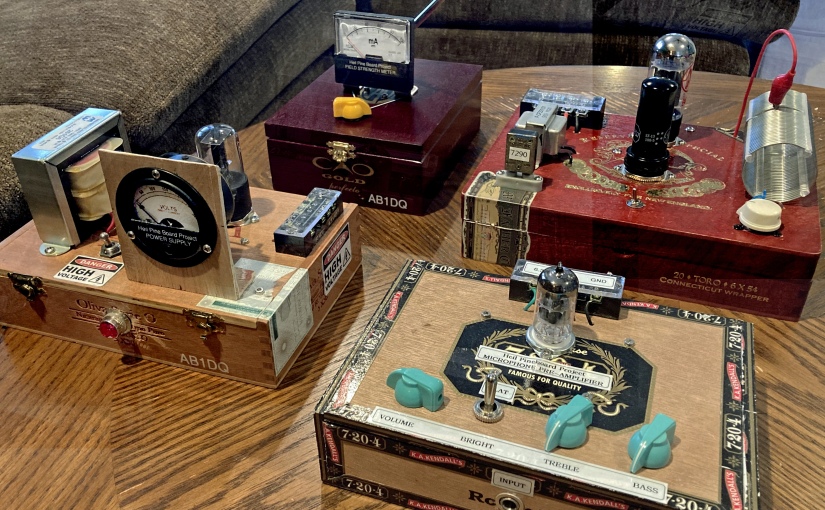
The Heil Pine Board project was a throw-back to these times. Bob broke the project into four separate sub-projects for the builder to construct: an RF field strength meter, a high voltage power supply, an audio pre-amplifier and equalizer, and a 40/80-meter transmitter capable of approximately 5 watts AM output.

Several episodes of HamNation included featured segments in which Bob would take the prospective builder through circuit design, parts layout, and circuit theory. Bob published the schematics and board layout diagrams on the Heil website and even provided parts lists with sourcing information, giving the names of firms that carried some of the obscure parts from an earlier era, along with stock numbers and prices.

Bob’s enthusiasm for the projects as expressed in the videos was infectious. His presentation style was straight forward, detailed and inviting for the new builder. Along the way he featured photos and reports of viewers’ work.

I was hooked from the get-go. I grew up spending hours on ends in my grandfather’s TV/radio workshop in our basement and had read dozens and dozens of articles for building projects that appeared in the yellowing pages of his electronics magazines from the 60s. I had built many an electronic kit in my time, but beyond the occasional simple crystal radios or basic transistor circuits, I never did much scratch building.

I started building the projects a couple of years ago, closely following the directions and completed the field strength meter, the power supply and the pre-amplifier. Then, true to form, I either got distracted by other things (other projects, family, work, life itself).

Last summer (2021) I made a resolution to focus and complete the unfinished projects on the shelves of my workshop and decided it was time to complete the Heil project.

Friends who know me well, know that in recent years I had enjoyed the occasional cigar. Many a workweek transitioned into the weekend by enjoying a fine Leaf by Oscar and an Old-Fashioned with my dear friends Carl & Steve at the Owl. Every week or so, the Owl staff would leave empty wooden cigar boxes out at the curb for folks to take and I started nabbing a few thinking they might make good chassis for ham radio projects.

Since then I had built a few recent projects into my cigar boxes and thought that it might be fun to put my cigar box spin on Bob Heil’s transmitter project and built the transmitter into a cigar box and then rebuilt the other projects into their own cigar boxes.

At this point I’m going to blog on my Heil Pine Box/Cigar Box Project experience in a series of articles, starting with the power supply. As I mentioned I initially built this on a pine board and my initial build used the 5XT rectifier tube using Bob’s original design. I have replaced the 5XT with the solid-state rectifier, building the modified power supply as designed by and published by Bob.

Thanks again to Bob Heil for designing and sharing and promoting the Pine Board Project – it has provided me with hours and hours of enjoyment so far, and there’s much more fun ahead.

Have you built the Pine Board Project? Leave me a comment or drop me a line at james@ab1dq.com. Jump to my post about my power supply build here.
Elecraft K2 Build – Part 1

Control Board Assembly

As the proverb goes, a journey of a thousand miles begins with a single step. So, after procrastinating for two plus years after my XYL and soulmate Ellen gifted me the Elecraft K2 HF Transceiver Kit for our tenth anniversary, I finally got my nerve up to start what will easily be my most ambitious kit build ever.

It is my intent to blog about my experience as I proceed, circuit board by circuit board, sharing my experience and inviting others who have built the K2 to share as well.

The Control Board

Having set up and outfitted a new protected work bench using a folding banquet table in the shack where I will work only on the K2, I started work on the first circuit board, the Control Board on January 9, 2022.

As with many kits I’ve built, the Elecraft instructions call for the builder to start by inserting and soldering all of the fixed resistors first. As others have reported, I found the instructions to be, for the most part, very well written. The instructions for the fixed resistors provided each resistor’s value in ohms as well as the color code and the builder is encouraged to install the resistors with the first color band towards the top or the right of the circuit board to facilitate verifying the correct resistor is in the correct space when reviewing or troubleshooting your work.

As electronic components have gotten increasingly smaller, my vision has gotten progressively worse as I’ve gotten older. Whenever kit building, I always verify values with my VOM before inserting any resistors into a circuit board. After installing the 13 resistors, the instructions called for the installation of seven resistor arrays and one trimmer pot, all easily identified.

The Control Board after installing all resistors.

Next the builder needs to install an 82 mH inductor, which I confirmed I had the correct part with my L/C meter, followed by a pair of silicon diodes. I then encountered the first variation in my kit. Where the original PCB had a screened space for D3, the instructions called for an 82K ohm resistor to be installed here.

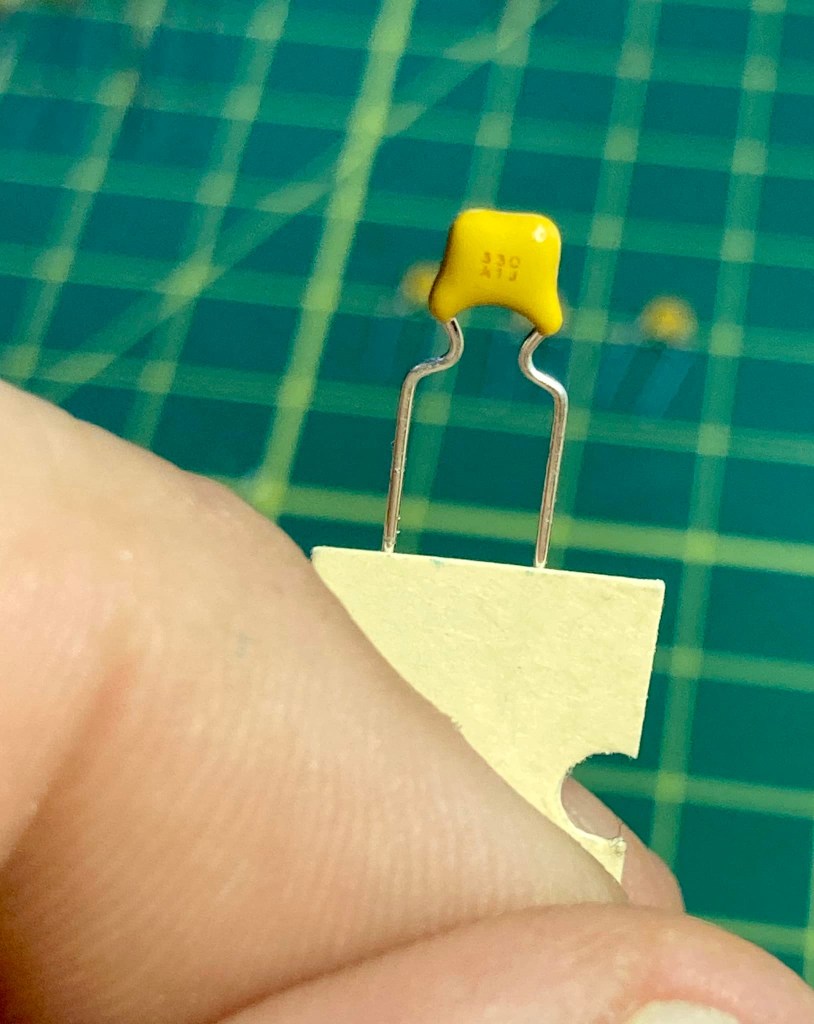
The instructions next call for the builder to install and solder in place 36 fixed capacitors. Identifying and verifying the value of each capacitor was a notable challenge. Not only were the stamped or printed values on the caps miniscule, the capacitors also varied in type, shape, and manufacturer and it was clear that some of Elecraft’s suppliers changed over the twenty-five years they have been offering the K2 kit, as some of the caps did not match in appearance to the identifier pictures in the otherwise excellent parts list in the appendix.

To guarantee I placed the correct capacitor in the correct space, I took the time to identify every capacitor and laid them out neatly on my workbench in the same order the instructions called for their installation.

To identify the values, I used the camera on my iPhone and zoom in on the part. Sometimes when the value is etched on the capacitor, I needed to shift it so my bench light catches the labeling just right to read. I took the time and used my L/C meter to verify the value of every capacitor.

Once all of the capacitors were laid out in the order of installation, I carefully installed each capacitor into its space, having taken the time again to double-check values with the L/C meter. It was a slow process, but in the end, I felt very confident all of the capacitors were soldered in the correct space giving me peace of mind. Trouble shooting for mis-placed capacitors would be a very tedious process if necessary.

The next several steps went along easily as I installed the electrolytic capacitors, a trimmer cap, a dozen bipolar junction transistors, a pair of crystals, two voltage regulators, one IC socket and various connectors. All of these parts were easily identified, and when working with the transistors, I proceeded in the same manner as I did with the fixed caps, identifying and verifying value, arranging them in the order of installation and double-checking values as I installed each.

The bipolar transistors, values checked and laid out in order of installation.

Now it was time to install the ICs on the control board, and this is where I first ran into trouble.

The very first chip was an NE602, the AGC mixer. I mentioned that the K2 has been on the market for twenty-four years and over the course of a quarter century, technology moves on and the availability of parts change. By the time Elecraft had kitted my specific K2, the NE602 was no longer widely available in through-the-hole DIP casing. The industry had since begun moving on away from through-the-hole components in favor of tiny, less expensive surface-mount versions.

Instead of the DIP version of the NE602, my kit came with an equivalent SMD NE612 which was pre-soldered to a small square ‘carrier board.’ The carrier board is a PC board cut to the same footprint of an 8 pin DIP case and the builder is instructed to cut eight 1-inch pieces of wire, insert them into the eight holes on the carrier board, solder them in place, then insert the bottom ends of these wires through the DIP-spaced holes and solder to the control board.

I damaged the carrier board while attaching the wires by working sloppily with a too-hot iron. The carrier board was not of the same high quality as the control board which featured double plated holes. The carrier board had plating only on the top of the holes, and I managed to lift the plating off of the number 2 and number 3 hole, breaking connectivity. I tried to bridge the contacts to the chip contacts with a solder blob, but that only made a bigger mess of things.

Elecraft has a form on their website to order replacement parts and I reached out on January 1qth to inquire about purchasing a replacement NE612 and carrier board. I did receive an acknowledgement that they received my inquiry from a mail bot, but as of this writing, four days later I have not received an actual reply.

In the meantime, I began wondering whether I could still find DIP cased versions of the NE602 elsewhere online. I searched Mouser, Digi-key, eBay and Amazon and found that an Amazon vendor had some available, which I ordered. The vendor did not disclose the name of the manufacturer nor the source country, but I’m assuming the chips were manufactured in China. I did order five (there are three others elsewhere in the K2) and they arrived within a day or two.

I discussed my dilemma with one of my Elmers, Steve, KZ1S, who has built many a kit in his day and is a physics professor who works with electronic circuits and RF in his work.

Steve offered a couple of suggestions. The first was to use a proper SMD to DIP converter board with proper pins spaced correctly. I liked this idea very much, but the drawback is that it would require me soldering the SMD chip to the converter board and again, with my failing vision and dexterity, this would be a bit of an unpleasant challenge.

A proper SMD – DIP converter

Steve also suggested looking for genuine NOS chips online, either on eBay, or from Radwell International. Steve mentioned you can source just about any obsolete part with Radwell, but they can be expensive. I did locate the NE602s on there with a retail price of about $5 – not a deal-breaker, but given I need four for the K2, that’s an additional $20 + shipping.

For the time being, I decided to place a DIP socket on the control board and once in place, I inserted the NE602 of dubious origin I purchased from Amazon in the socket. For the time being this would let me continue with the build and be able to test resistances. I could then swap out the AGC chip for a genuine NOS or SMD + converter at a later date.

I finished the build of the control board this morning, directly soldering in the remaining ICs and adding the two CW key-shaping capacitors on the solder side of the board.

After carefully double-checking all of my work, I used my VOM to perform the resistance checks. All of my test resistances were within range, excepting U6 pin 29 (DASH) and U6 pin 30 (DOT/PTT) which were marginally over spec. The acceptable range for both is 70K – 90K ohms and I measured 96.6K on pin 29 and 96.8K on pin 30. I will revisit these values later.

So that concludes the build of the first circuit board, the Control Board. I counted a total of 110 components soldered to the board and I completed the work in eight days working at my deliberately leisurely pace.

I welcome comments and suggestions from any and all, particularly from anyone who has built the K2 and had to deal with the SMD carrier board themselves. Drop me a line at james@ab1dq.com to share your thoughts and opinions.

Next up – the Front Panel Board – stay tuned!

My Field Day 2019

Every year on the fourth full weekend of June, the ARRL (American Radio Relay League) and the RAC (Radio Amateurs of Canada) sponsor Amateur Radio Field Day, when amateur radio operators all across North America practice emergency communications, operating either from outdoors stations they set up for the event using non-commercial power, or from Emergency Operations Centers (EOCs).

In addition to providing ham radio operators with the opportunity to practice operating in challenging conditions, Field Day is also an opportunity to give amateur radio greater exposure in the public eye as our sites are open to general public and many include a GOTA, or Get On The Air station where unlicensed persons can experience communicating on the ham bands with the help of a licensed operator.

I am a member of the Meriden Amateur Radio Club / Wallingford Amateur Radio Group. Since our club station is located in the Wallingford EOC at 143 Hope Hill Road, it makes good sense that we operate there as a class “F” (EOC) Field Day station.

This is the second time that I have participated in Field Day with the MARC/WARG folks, and once again I had a great experience. My ongoing amateur radio resolution for this year has been to work on improving my CW (Morse Code) skills and Field Day provided a great opportunity to practice my ‘fist’ as I signed up to take the graveyard CW shift from 2:00 – 6:00 am along with my friend K1STM, Anne.

Anne has been a licensed ham radio operator longer than I have been alive, and her CW skills are amazing. Not only can she copy Morse Code sent at a much faster speed than I can, she can also pick out the faintest Morse Code signals burried under the background noise that I completely miss!

K1STM doing the ‘search and pounce’ on 40 meters during the graveyard shift.

In preparation for the start of my 2 am shift this morning, I went to bed early last night (before the sun set!) and set an alarm for 1 am. Before turning in, I had the coffee maker programmed to brew a pot of coffee which I brought along in my trusty Stanley vacuum bottle.

Arriving at the Wallingford EOC around 1:30 am, I met up with KC1SA, Steve, who was wrapping up the prior shift. He walked me through some of the basics of operating the club’s Yaseu FT991A transceiver which is linked to the N1MM logging software and controlled by the shack PC.

Operating CW in a contest from a PC keyboard is pretty easy. The software allows for the easy transmission of several pre-recorded messages such as our club call sign, the basic Field Day exchange, etc.

This was my first opportunity to operate the Yaseu FT991A rig – I loved it.

I operated the first ninety minutes of our of shift and made 13 contacts on the 40 meter band between 2:00 and 3:30 am. The band was not crowded and most ops were sending at a speed I was comfortable copying at, right around 20 words per minute. I was able to work several stations on the west coast in Arizona, California, some in Florida and even one station in Hawaii.

Anne took over around 3:30 and she also made 13 contacts on 40 meters before our shift ended at 6:00 am. Anne is blind so she relied on me to log the contacts she made in the N1MM logging software. Instead of using the computer keyboard to transmit, Anne operated using the Bencher paddles.

By the time our shift was over, I was exhausted, but felt good about the work we did. We were rewarded with a feast of a breakfast that included omelets, pancakes and Chorizo. In addition to making contacts on the air, we hams really love to eat too. Last night at the EOC, John Bee, served his famous “road kill stew” – a MARC/WARG Field Day staple for years.


KB1MFU, John, prepared this scrumptious breakfast of omelets, pancakes and Chorizo! Hams love to eat – go figure!

After breakfast, I drove Anne home and then decided I would make a few additional contacts from my home station. I worked another dozen stations, mostly in the midwest, running 100 watts on 40 meters using my Kenwood TS2000 radio to my G5RV antenna.

W3MIE, the Crawford Amateur Radio Society calling CQ Field Dsy on 40 meters….
I worked them at 1256 UTC from my home QTH.

So, Field Day 2019 is done and I had a great time once again. Did you operate Field Day? Let me know how it went!

73 de AB1DQ
James